
The New webOS AI Assistant

Create content and manage the details around it with the webOS AI Assistant. Built directly into NYN’s website content management system, it lets you use conversational instructions to draft and refine copy, update titles and keywords, and adjust page settings such as visibility and when a page is viewable. Preview content changes, review suggested field updates, and choose what to apply—all from the form you’re already working in.
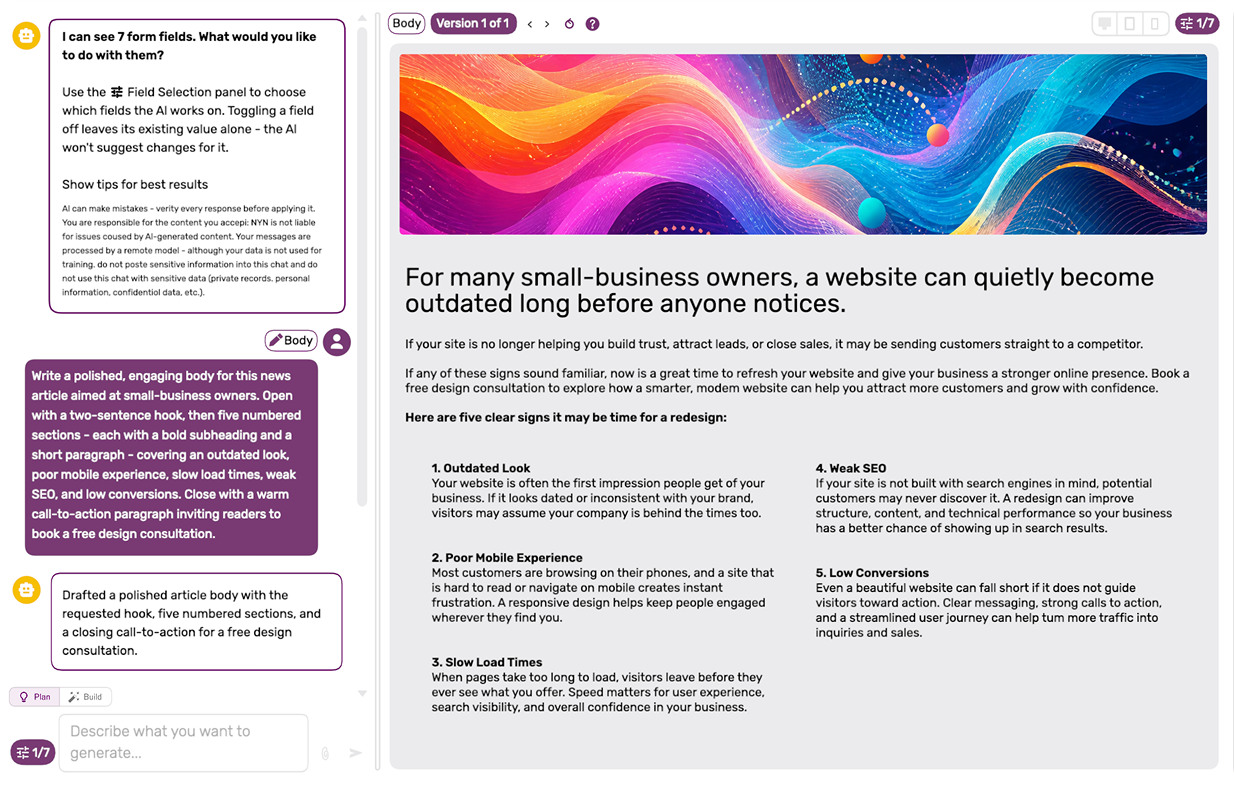
Free while in preview. The AI Assistant is rolling out as a preview and will keep gaining new abilities. When the preview ends, there will still be a free, out-of-the-box option, alongside optional paid usage tiers for power users. More capabilities are already in development.
 What’s New
The assistant has grown from a single-request generator into a conversational workspace for content and page settings. Build your message, refine its presentation, and update the fields that control how and when it appears—all in one workflow.

 Start Right From Your Content
Look for the AI button  in your editor toolbar. One click opens the assistant for the form you’re working on—without copying, pasting, or switching screens.
Ask it to improve a paragraph or work across several fields at once. Alongside your content, it can help update titles, keywords, visibility, and viewing schedules where those settings are available in the form.

See It Before You Commit
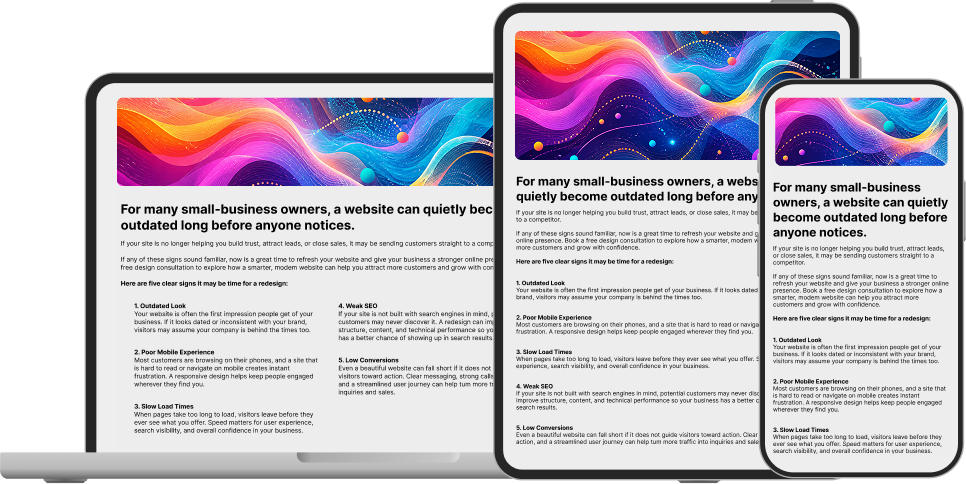
Watch content suggestions take shape in a live preview, styled for your website. Step through versions, compare options, and keep the changes that work for you.

Switch between desktop, tablet, and mobile views to review your content at different screen sizes. For page settings, review the suggested field values before applying them.

Point at It, Then Refine It
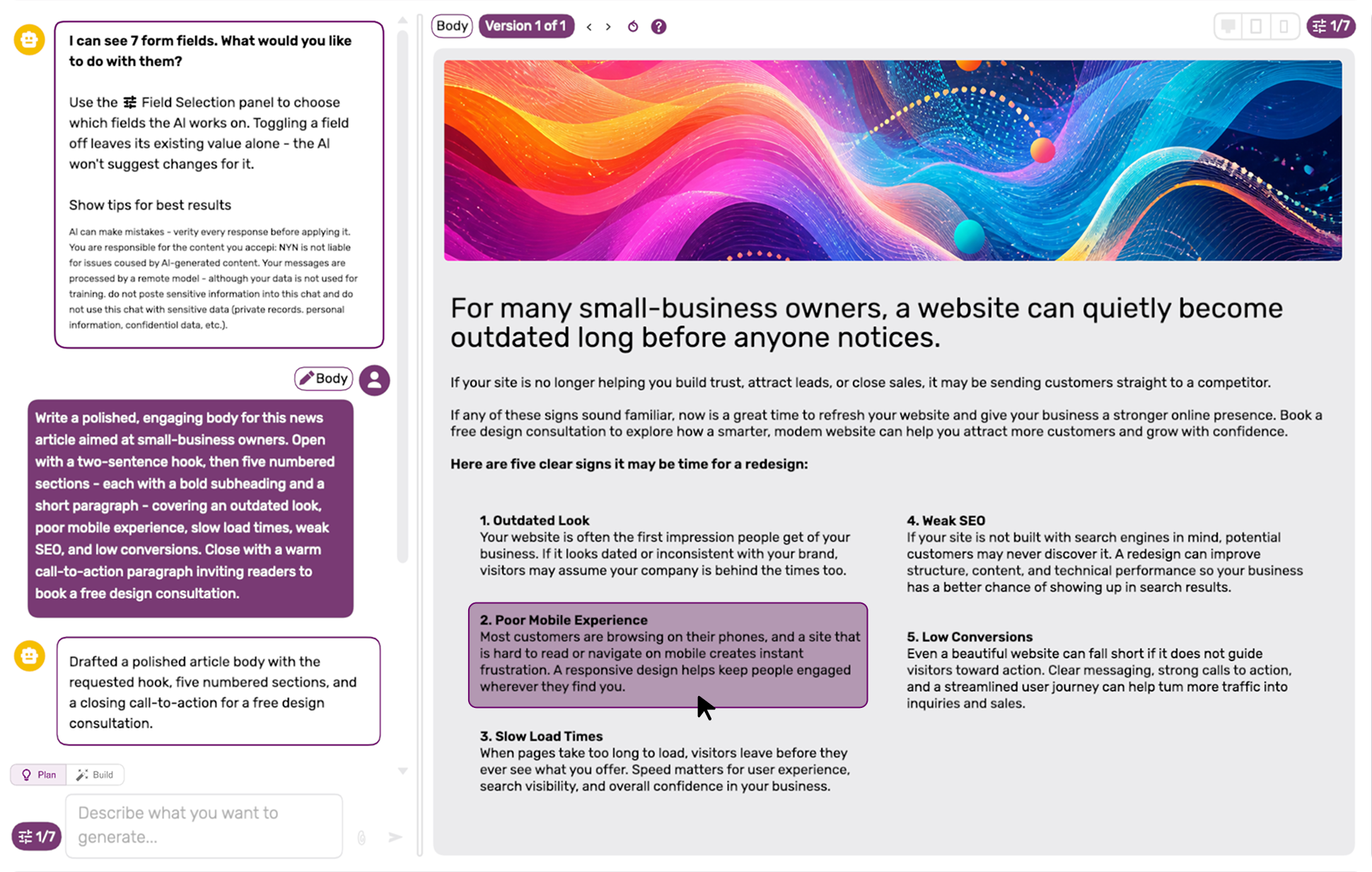
Click an element in the preview—a heading, paragraph, image, or button—to focus your next instruction on that part of the page. Tighten a sentence, adjust a heading, or refine a section without reworking everything around it.
Your instructions can also cover the page’s settings. Ask for a title change, revised keywords, or an update to visibility and viewing dates wherever those fields are available.
Need to revisit an earlier instruction? Edit a previous prompt and let the assistant revise its response from there.

You Decide What Goes Back
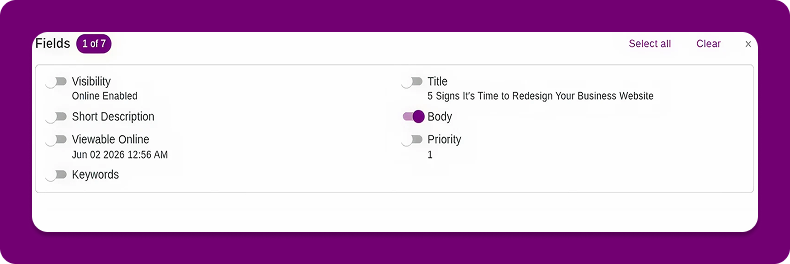
Choose which fields the assistant should work on and apply only the suggestions you want. Let it draft a title, summary, and body while also proposing updates to keywords or page visibility—then select what goes back into your form.
Toggle a field off to leave its current value unchanged. Whether you’re refining copy or adjusting when a page becomes viewable, you stay in control of the changes you apply.

Bring Your Own Files
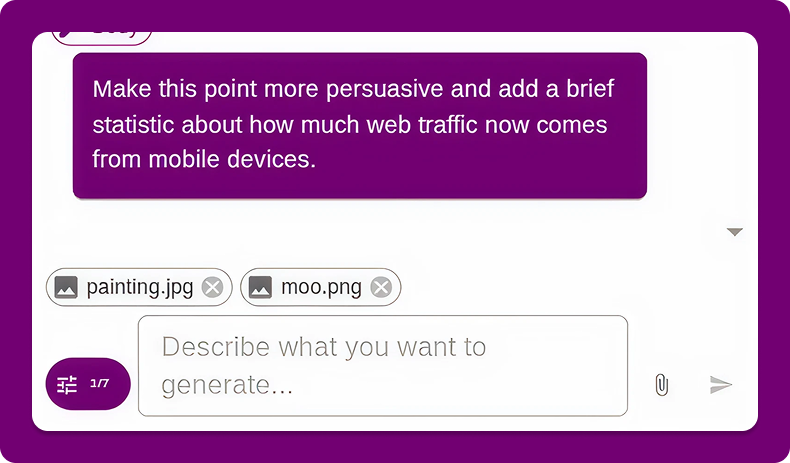
Attach images or files from your media library to a message. Point the assistant to the logo, photo, or visual reference you want to use as you shape your content.
Keep the materials you need alongside your instructions, so you can build and refine your page in the same workspace.

Available Across WebOS
The screenshots show a news post, but the AI Assistant works across many webOS forms. It uses the fields available in each form to help with both the content you create and the settings around it.
- Draft a page, news article, blog post, or product description.
- Create event details, schedules, and descriptions.
- Help fill in attendee, website user, or contact fields.
- Refine titles, summaries, keywords, and SEO metadata.
- Adjust page visibility and when a page is viewable, where supported.
The available actions depend on the form you’re using. Describe what you want to change, review the suggestions, and choose which fields to update.

Tailored to Your Website
The webOS AI Assistant uses your website’s content, structure, and design as context to help produce copy that fits your existing pages.
With capabilities focused on web writing, user experience, and search optimization, it helps you turn an idea into website-ready content—and manage the supporting page details along the way.

Smarter SEO and Page Details
Work on your message and its supporting fields together. Ask the assistant to refine a page title, suggest relevant keywords, or draft a clearer meta description alongside the main copy.
- Rewrite marketing messages for clarity and impact.
- Draft titles and meta descriptions that reflect the page’s content.
- Suggest relevant keywords to guide your copy.
- Reformat content for a consistent, on-brand presentation.
- Turn rough notes into structured website content.
Review the suggestions and apply the changes that fit your goals.